
Smart home privacy is the practice of deciding which household data a device may collect, where it is processed, who can access it, and how long it remains available. A useful setup keeps valued functions while removing permissions, recordings, integrations, and cloud history that do not serve them.
Connected devices can reveal more than a command: a thermostat may expose occupancy, a doorbell may record visitors, a speaker may store interactions, and a TV may record viewing activity. Trace each product’s data path instead of assuming every device behaves alike.
Start With the Data Path, Not the Device Label
A “smart” feature can involve the device, a phone app, a household account, a vendor service, and an analytics, advertising, voice-assistant, or automation partner. Privacy decisions sit across that chain.
Use five questions for every important feature:
- What is sensed? Audio, video, motion, location, viewing activity, identifiers, or account actions may be involved.
- Where is it interpreted? Processing may happen on the device, on a local hub, in a vendor’s cloud, or in more than one place.
- What leaves the home? Local analysis may still send alerts, thumbnails, diagnostics, or account events to a server.
- Who else receives it? Linked assistants, automation services, installers, household members, and third-party apps can create additional access paths.
- When is it deleted? History, clips, and diagnostics may have separate retention controls.
Local processing can reduce raw data sent to a cloud and keep some automations working during an outage. It does not mean zero external data. Cloud processing is not proof of careless handling either. Check current documentation, settings, the privacy notice, and the exact features enabled.
What Smart-Home Devices May Learn
Collection varies by model, region, subscription, account, and software version. This is an audit map, not a claim that every product collects every item.
| Device or service | Data it may handle | What the pattern can reveal | First settings to inspect |
|---|---|---|---|
| Smart speaker or display | Voice recordings, transcripts, contacts, calendars, identifiers, interaction history | Routines, interests, relationships, and moments when people are present | Recording history, auto-delete, human-review choices, guest or purchasing controls, microphone mute |
| Camera or video doorbell | Live audio/video, clips, faces or motion events, visitor timestamps, device and account data | Who visits, when the home is occupied, and activity in sensitive spaces | Recording zones, audio capture, clip retention, shared users, remote viewing, encryption claims |
| Thermostat, sensors, or HVAC app | Temperature, motion, schedules, location-based presence, energy use | Sleep/work routines and likely occupancy | Presence sensing, location permission, history, cloud dependency, household members |
| Smart TV or streaming device | Viewing and app activity, advertising identifiers, voice input, network/device data | Interests, viewing habits, and advertising profiles | Viewing-data recognition, personalised ads, unused apps, microphone and account settings |
| Hub, app, or cloud account | Device inventory, names, room assignments, IP/device identifiers, automation logs, diagnostics | A structured map of the home and daily routines | Analytics, diagnostics, logs, account access, linked services, retention and deletion controls |
| Third-party integration | Selected device states, commands, events, account tokens, and sometimes broader permissions | Combined activity across services that one device could not see alone | Permission scope, token revocation, inactive connections, partner privacy notice |
If public materials do not explain collection, retention, or deletion, that uncertainty is a purchasing factor. The best smart home devices guide offers a broader ownership framework.
Privacy, Cybersecurity, and Physical Security Are Different Risks
These risks overlap, but one control rarely solves all three.
| Risk type | The core question | Example | Controls that primarily help |
|---|---|---|---|
| Privacy risk | Is more personal or household data collected, retained, inferred, or shared than you intended? | A viewing-history feature feeds personalised advertising even though the account is not compromised | Minimise permissions, shorten retention, disable optional analytics, limit integrations |
| Cybersecurity risk | Can an unauthorised person or malicious software access or control the system? | A reused password allows access to a camera account | Unique passwords, multi-factor authentication, updates, secure router settings, network separation |
| Physical security risk | Can a device failure, bad automation, or unauthorised control affect people or property? | A lock, garage door, alarm, or heater changes state at the wrong time | Conservative automations, alerts, manual overrides, role limits, safety review |
Placing cameras on a separate IoT network can limit lateral movement after a compromise, but it does not stop an authorised service from processing cloud clips. Deleting recordings reduces retained data but does not repair a weak password.
Cloud and Local Processing: Ask What Actually Changes
“Local” is useful only when it describes a specific operation. A camera might detect motion locally but upload events. A hub might run lighting rules locally while its app uses a cloud account. A speaker may detect a wake pattern locally and send an activated recording for remote processing.
The U.S. Federal Trade Commission notes that voice assistants may activate after mishearing a wake word and generally send activated recordings to manufacturer servers. It recommends checking indicators, recording history, retention, connected accounts, and microphone controls. These are general checks, not claims about every product or mode. See the FTC’s voice-assistant privacy guidance.
When a vendor advertises local processing or end-to-end encryption, verify whether it covers live viewing, stored clips, backups, thumbnails, metadata, and sharing—and whether it is available in your region and plan. A narrow, documented claim is more useful than a broad label.
A Practical Smart-Home Privacy Risk Table
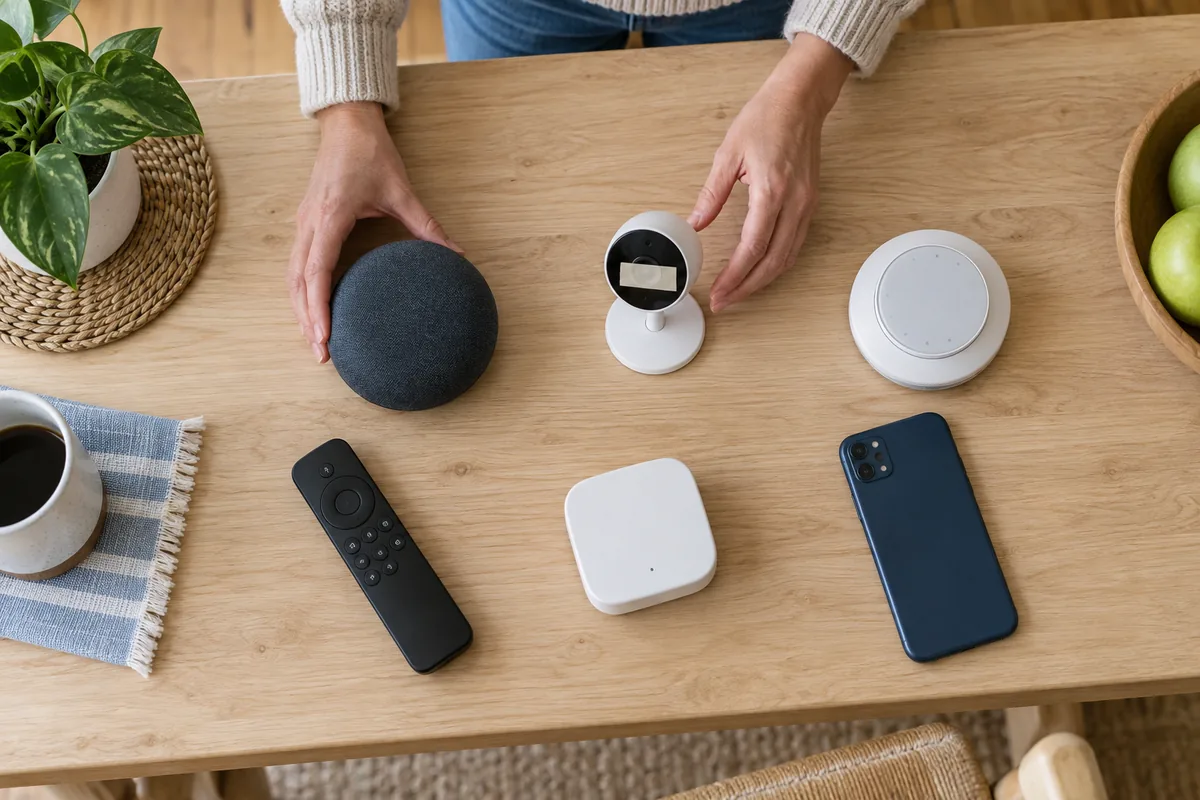
Work through the highest-exposure devices first: indoor cameras, microphones, locks, presence sensors, and systems with broad third-party access.
| Privacy risk | Affected data or device | Practical mitigation | Remaining limitation |
|---|---|---|---|
| Unexpected audio capture | Speakers, displays, TVs, cameras | Review recording history; enable auto-delete; mute microphones during sensitive moments; disable voice features you do not use | A wake-word error can still occur while the microphone is enabled; retention options differ by product |
| Overbroad video coverage | Indoor cameras and doorbells | Reposition the lens; use privacy zones; disable audio if unnecessary; shorten clip retention; avoid private rooms | Visitors, neighbours, or household members may still enter the frame; local rules differ |
| Persistent occupancy history | Thermostats, sensors, geofencing, automation logs | Limit location access; reduce history; disable optional presence features; review every household phone | Some desired automations need presence data; mobile and platform behavior varies |
| Excessive partner access | Voice assistants, automation platforms, third-party apps | Remove unused integrations; grant the narrowest scope; revoke tokens after trials or moving home | A necessary integration may still receive events required for its function |
| Account profiling | TVs, apps, cloud services | Disable personalised advertising and optional analytics; reset advertising identifiers where supported; separate profiles | Core service and security logs may remain under stated retention rules |
| Exposure after resale or disposal | Cameras, hubs, TVs, routers, locks | Remove users and integrations; export needed data; factory-reset; delete the device from the account; verify the vendor’s transfer steps | A factory reset may not delete server-side history or subscriptions |
Good privacy decisions are trade-offs. Keep a feature only when its benefit justifies the data and access it requires.
Set Permissions and Defaults Deliberately
Review app permissions separately from device settings. Setup access need not become permanent access. A geofencing app may need background location, while an unrelated routine may not. Change one control at a time and test the result.
Settings can change after updates or account migrations. Review them every few months and check:
- microphone, camera, location, Bluetooth, local-network, contacts, and photo permissions;
- recording history, clip retention, analytics, personalised advertising, and product-improvement options;
- shared users, old phones, installers, guests, and emergency-access roles;
- assistants and integrations not used recently.
For location routines, the smart home geofencing guide separates background location, household logic, platform rules, and device commands.
Protect Accounts, Updates, and Networks
Account takeover can expose recordings, device status, and controls. Use a unique password or passkey, enable multi-factor authentication, protect the recovery email, and give each person an individual, least-privilege account.
Install firmware and app updates while the product is supported. The UK National Cyber Security Centre recommends checking support periods, changing default passwords, using two-step verification, disabling unused remote access, and resetting devices before disposal. Its smart-device guidance is UK-facing, but these checks are broadly useful.
A guest or IoT network can isolate devices from laptops and storage systems. The FTC’s camera security guidance suggests a separate network for cameras. Segmentation does not hide data from an intended cloud service and may block local discovery, so test automations after moving devices.
Make Privacy Work for the Whole Household
Cameras and microphones affect partners, children, housemates, caregivers, workers, and visitors. Agree on acceptable locations, recording indicators, who may view history, and when features should be muted.
Use separate profiles, review guest access and purchasing controls, and check whether voice features can reveal calendars, messages, or contacts. Use camera roles where supported and remove temporary access. The affordable security camera guide covers storage, access, and placement.
If household members disagree, choose the lower-data mode or do not install the device there. A consent screen does not replace a household conversation.
Reset Is Only One Part of Device Disposal
Before selling, gifting, or recycling a device, remove users and integrations, save needed data, factory-reset the hardware, remove it from the vendor account, cancel subscriptions, and separately delete cloud history where required.
Verify that a transferred device no longer appears in your app and follow its current transfer instructions; reset behavior is model-specific.
Privacy Rights Depend on Where You Live
Privacy law is not global. Eligible users may have rights to information, access, correction, deletion in some circumstances, objection, or opt-outs. Scope and exceptions differ.
- In the European Economic Area, GDPR rights are described by the European Data Protection Board.
- The United Kingdom has its own UK GDPR and Data Protection Act framework; the ICO’s smart-products guidance also notes that some guidance is under review following newer UK legislation.
- California’s CCPA/CPRA applies to California residents and covered businesses; the Attorney General explains exceptions.
- Australia’s Privacy Act and Australian Privacy Principles apply according to organisation type, turnover, and statutory exceptions; see the OAIC overview.
- New Zealand’s Privacy Act 2020 includes access and correction rights explained by the Office of the Privacy Commissioner.
These links provide general background, not legal advice. Check the policy and rights process for the specific vendor, account region, product, and data involved.
Matter, Thread, Zigbee, Wi-Fi, and Bluetooth Are Not Privacy Policies
Wireless and interoperability technologies influence how commands travel, but a protocol name does not reveal what an app collects, whether diagnostics reach a cloud, or how long recordings remain.
Matter is an interoperability standard; Thread, Zigbee, Wi-Fi, and Bluetooth provide connectivity or commissioning. Any can be part of a privacy-conscious or privacy-invasive design. The Matter vs Thread guide explains the layers without treating local connectivity as a zero-cloud guarantee.
Four Questions to Ask Before Buying
- Can the main feature work locally, and what still requires an account or internet connection?
- Can I view, export, shorten, and delete recordings or activity history without a paid plan?
- How long will the device receive security updates, and what happens when support ends?
- Can I limit household roles, revoke integrations, disable sensors, and transfer or erase the device cleanly?
If answers are vague, compare another product or choose a simpler device. An unnecessary sensor or integration is often best left disabled.
A Sensible First Move
Start with the device that can see or hear the most. Map its data path, remove unused access, secure the account, and document what remains in the cloud. Then repeat.
Smart home privacy improves when choices are specific: one permission removed, one retention period shortened, one shared account replaced, or one unsupported device retired. Convenience can remain—only the unnecessary exposure has to go.
Sources and Further Reading
- NIST: 7 Tips to Keep Your Smart Home Safer and More Private
- FTC: Securing Your Internet-Connected Devices at Home
- OECD: Consumer Policy and the Smart Home
- NIST SP 1343: Smart Home Users’ Security and Privacy Perceptions and Actions Differ by Device Category