
The best smart home devices are not necessarily the newest, most expensive, or most “intelligent.” They are the products that solve a repeated household problem, work with the system you already use, and remain useful when an app or internet connection is unavailable.
For most homes, the strongest starting set is a controller, one or two lighting or plug automations, a safety sensor, and—where the heating system is compatible—a smart thermostat. Add cameras, locks, cleaning devices, and motorized shades only when they address a clear need.
Quick answer: Choose a platform first, then buy devices by outcome: convenience, comfort, safety, security, or energy management. Favor certified products, useful local controls, automatic security updates, and Matter support where it genuinely improves compatibility.
The Best Devices at a Glance
There is no universal winner because a renter, a frequent traveler, and a family with high heating costs have different priorities. Use this table to identify the device category with the clearest benefit in your home before comparing models.
| Device category | Best for | Check before buying | Usually worth it when… |
|---|---|---|---|
| Smart speaker or display | Voice control and routines | Preferred ecosystem; microphone controls | Several people need simple shared control |
| Smart plug | Low-cost automation | Load rating; appliance behavior after power loss | You repeatedly switch the same lamp or device |
| Smart bulb or switch | Lighting schedules and scenes | Bulb base, neutral wire, dimmer compatibility | Lighting is used daily and predictably |
| Smart thermostat | Comfort and HVAC scheduling | HVAC type, wiring, regional certification | Heating or cooling is a major household expense |
| Leak sensor | Early warning near water risks | Alarm method, battery alerts, hub requirement | A leak could go unnoticed near a washer, heater, or sink |
| Smoke/CO alarm | Safety alerts and interconnection | Local code and recognized safety certification | It is installed as a proper life-safety alarm, not a gadget |
| Smart lock | Managed entry | Door fit, backup entry, battery warnings | You regularly share or revoke access |
| Doorbell or camera | Entry awareness | Recording, storage, subscription, privacy zones | You have a specific area and reason to monitor |
| Robot vacuum | Routine floor cleaning | Floor plan, thresholds, obstacle handling | Frequent maintenance cleaning saves real time |
| Smart shades | Light, glare, and privacy routines | Window size, motor noise, manual override | The same windows need adjustment every day |
This is a priority list, not a shopping list. Buying all ten categories at once creates more accounts, batteries, notifications, and failure points than most people need.
Use the Anchor–Automate–Audit Framework
A reliable smart home grows in three stages.
1. Anchor the system
Choose the main platform that every household member can operate. The anchor may be a speaker, display, hub, phone-based controller, or locally managed home-automation server. Confirm which device acts as the Matter controller and, if you plan to use Matter over Thread accessories, which device supplies Thread Border Router functionality.
2. Automate one repeated task
Start with a routine you already perform: switching entry lights at sunset, lowering heating when everyone leaves, or warning about water near a washing machine. A narrow automation is easier to test than an elaborate “whole house” scene.
3. Audit after two weeks
Ask whether the automation worked without attention, whether anyone found it confusing, and whether notifications were useful. Remove unreliable steps before adding devices. This short audit prevents a cheap gadget from becoming a permanent maintenance chore.
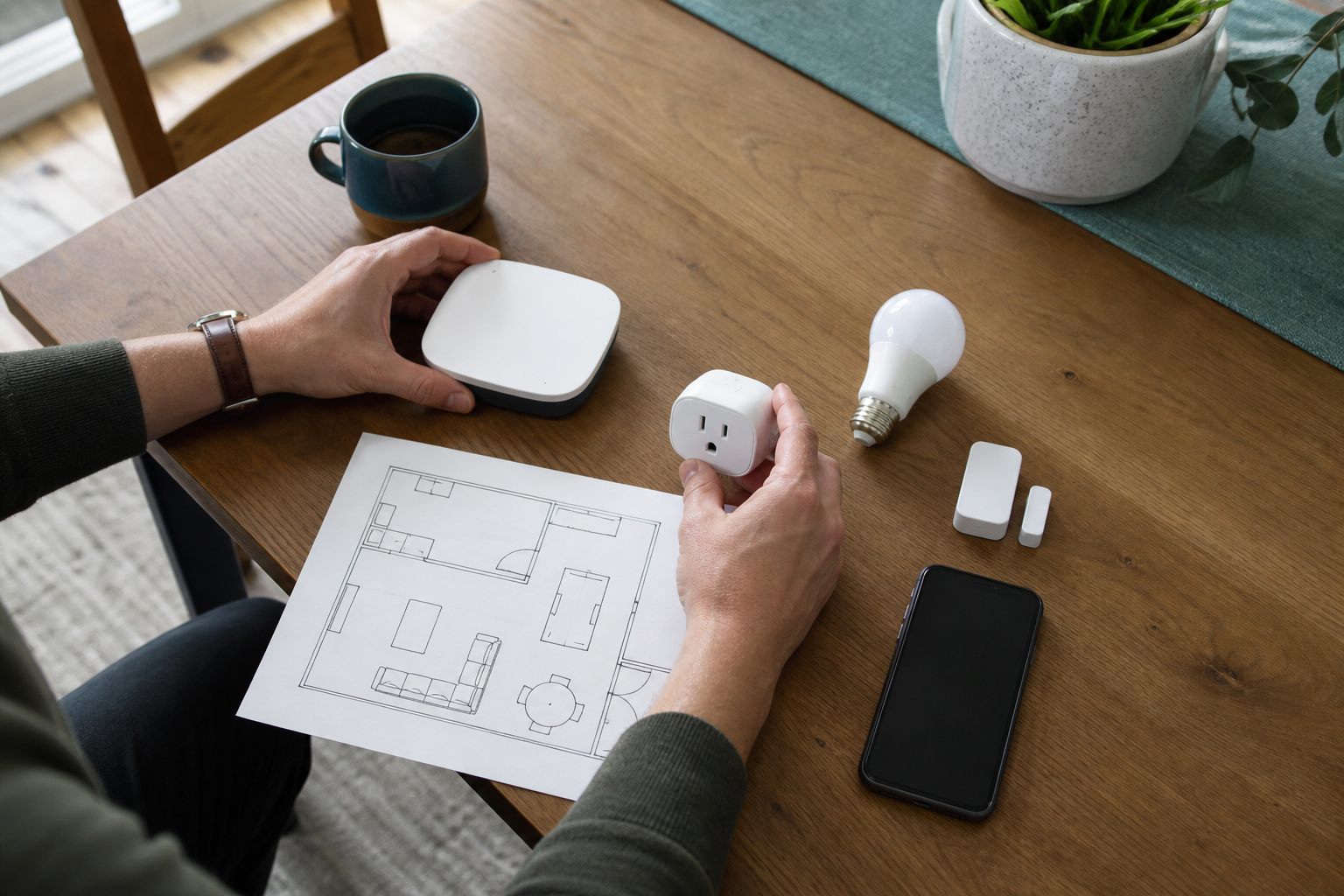
Figure 1. Planning a small, outcome-based starter set is usually more useful than buying unrelated devices on sale.
Matter, Thread, Wi-Fi, and Hubs
Matter is an interoperability standard: it gives supported devices a common way to work across compatible smart-home ecosystems. It does not mean every feature from a manufacturer’s app will appear in every other app, and it does not guarantee that two products use the same network technology.
Matter can operate over Wi-Fi, Ethernet, or Thread. Thread is a low-power IP-based mesh network suited to devices such as sensors and locks. A Thread accessory generally needs a Thread Border Router to connect its mesh to the rest of the home network. The Thread Group’s smart-home guidance explains these roles and notes that Border Router functionality can be built into other products.
The standard continues to expand. The Connectivity Standards Alliance released Matter 1.5.1 in March 2026, improving support for cameras, doorbells, chimes, and intercoms. That is encouraging, but buyers should still verify the exact device, controller, ecosystem, and feature combination before purchase.
Which Smart Devices Are Worth Buying?
1. A controller everyone can use
A smart speaker or display is useful when voice control makes routines accessible to children, guests, or people carrying groceries. A phone-only system may be better for a single user who values privacy and does not want always-listening microphones. Look for a physical microphone switch, household permissions, and a clear path to delete recordings.
2. Smart plugs, bulbs, and switches
A smart plug is often the best first device because it is inexpensive and reversible. Use it only with appliances allowed by both the plug and appliance manufacturers; a plug’s current rating does not automatically make every heater, motor, or high-load appliance suitable.
Choose bulbs for rentals or small rooms. Choose compatible in-wall switches when several people need the wall control to work normally. For ideas on coordinating lighting with a media room, continue to this guide to entertainment-space lighting and sound.
3. A compatible smart thermostat
A thermostat can deliver more value than novelty devices because heating and cooling are recurring loads. Compatibility comes first: verify the HVAC system, wiring, power requirements, and installer guidance.
In the United States, ENERGY STAR says its certified smart thermostats are independently certified using actual field data and estimates average savings of about 8% of heating and cooling bills, while noting that climate, preferences, occupancy, and equipment affect results (ENERGY STAR). Readers elsewhere should use their national efficiency labels and local rebate rules rather than assuming the US figure applies.
4. Leak sensors before expensive leak repairs
Place water sensors where an early warning is actionable: near a washing machine, water heater, dishwasher, under-sink cabinet, or basement drain. Check how the sensor alerts you when the internet is down and how it reports a low battery. Automatic shutoff valves can add protection, but plumbing suitability and professional installation may matter.
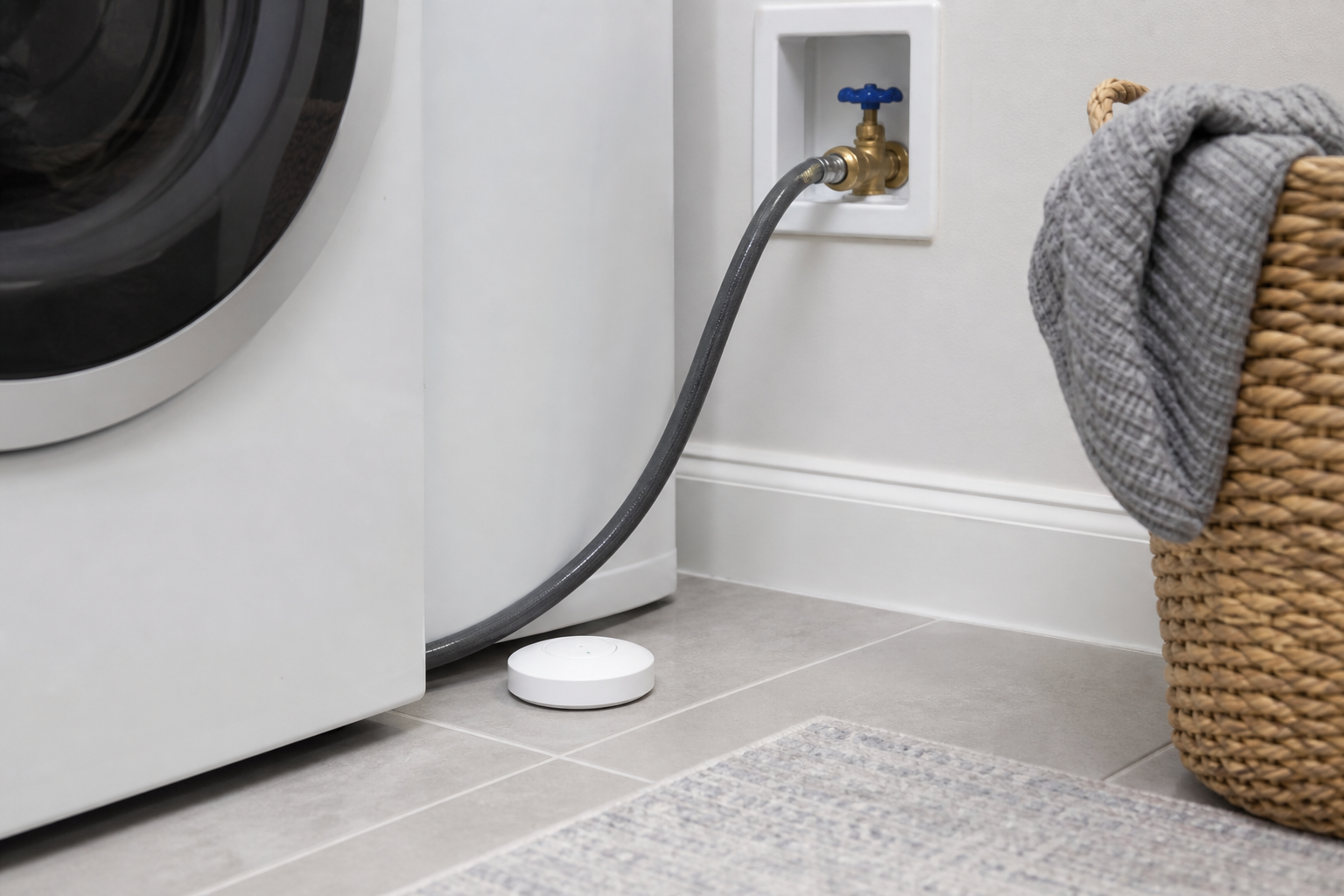
Figure 2. A leak sensor is most useful where water would appear early and the alert can prompt a quick response. The image is illustrative, not an installation standard.
5. Smoke and carbon-monoxide alarms
Connectivity is secondary to approved life-safety performance. Buy alarms certified for your jurisdiction, follow the manufacturer’s placement instructions, and preserve audible alarms and battery backup. In US guidance, the CPSC recommends working smoke and CO alarms on every level and outside sleeping areas, with smoke alarms inside bedrooms; it also says interconnected alarms are best because one alarm can cause all to sound (CPSC, 2026). Requirements vary by country and building.
6. Locks, doorbells, and cameras
A smart lock earns its place when temporary codes, access history, or automatic locking solve a real problem. Demand a mechanical or other dependable backup, visible low-battery warnings, and control over who can issue credentials.
For cameras and video doorbells, decide the monitored area before choosing hardware. Compare local versus cloud storage, retention period, subscription cost, end-to-end encryption options, privacy zones, and whether household members consent to indoor recording. More cameras are not automatically more security.
7. Robot vacuums and smart shades
These devices are worthwhile when they remove a frequent physical task. A robot vacuum should match floor types, room transitions, furniture clearance, and the household’s tolerance for moving cables and small objects. Smart shades work best on windows with recurring glare, heat, or privacy needs. In both cases, manual controls and readily available replacement parts matter more than novelty routines.
Match Devices to the Room, Not the Trend
| Area | High-value first choice | Why it often wins |
|---|---|---|
| Entry | Lock, contact sensor, or doorbell | Solves access and arrival awareness |
| Living room | Lighting control or shared controller | Benefits several people every day |
| Bedroom | Simple lighting or shade routine | Reduces friction without adding a camera |
| Kitchen | Leak or smoke/CO protection as appropriate | Prioritizes warnings over novelty appliances |
| Laundry/utility | Leak sensor | Watches a risk area that may be unattended |
| Whole home | Thermostat | Can improve comfort and scheduling at scale |
Explore more household context in the site’s Home Improvement section and broader device coverage in Technology.
Build a Safer Smart Home
Security should be a purchase criterion, not a cleanup job. Check how long the manufacturer promises security updates, whether multi-factor authentication is available, what data leaves the home, and whether core controls continue locally during an outage.
NIST’s 2025 smart-home advice recommends unique passwords, multi-factor authentication, automatic updates, disabling unused features, reviewing privacy settings, and considering a separate network for connected devices (NIST). The FTC similarly advises changing router defaults, enabling encryption, and keeping router software updated (FTC).
Use this pre-purchase checklist:
- Will the device still perform its basic job without the cloud?
- Does it receive automatic, authenticated security updates?
- Can every user have an individual account instead of sharing a password?
- Can microphones, cameras, tracking, or remote access be disabled?
- Is data retention explained in plain language?
- Can you export settings and remove personal data before resale?
- Does the manufacturer disclose how long the product will be supported?
A Sensible Buying Order
First, improve the router and Wi-Fi coverage if connections are unreliable. Second, choose one controller and one low-risk automation. Third, add safety or energy devices that fit the building. Only then add access, cameras, cleaning, or shade systems.
Avoid buying a bundle simply because every item shares a logo. A good system may mix brands while keeping control coherent. Also avoid automations that can lock people out, hide a safety warning, energize risky appliances, or surprise someone with mobility or sensory needs.
Common Mistakes
- Buying before choosing a platform: This creates extra apps and duplicate hubs. Map compatibility first.
- Treating Matter as a feature guarantee: Confirm the exact feature in the chosen controller, not just the Matter logo.
- Ignoring manual control: Lights, locks, shades, and thermostats should remain understandable during an outage.
- Automating rare tasks: The maintenance cost may exceed the minutes saved.
- Skipping household consent: Cameras, microphones, presence detection, and access logs affect everyone in the home.
FAQ
What are the best smart home devices for beginners?
Start with one shared controller, a smart plug or light, and a contact or leak sensor tied to a clear routine. This combination is inexpensive, easy to reverse, and broad enough to reveal whether you value voice control, automation, or alerts before making larger purchases.
Do all Matter devices work with every smart-home platform?
Matter improves interoperability, but support still depends on the device category, product certification, controller, platform version, and specific feature. A product may also keep advanced settings in its own app. Verify the manufacturer’s compatibility page for the exact model before buying.
Is Thread better than Wi-Fi for smart home devices?
Neither is universally better. Thread is designed for low-power mesh devices such as sensors and locks; Wi-Fi suits higher-bandwidth products and devices already near reliable access points. Thread also requires Border Router functionality. A well-designed home can use both.
Are smart home devices worth it for renters?
Yes, when they are portable and do not require prohibited electrical or structural changes. Plugs, bulbs, portable speakers, freestanding sensors, and some removable controls are practical. Keep the original hardware, protect the landlord’s property, and obtain permission before changing locks, wiring, thermostats, or fixed alarms.
What should I avoid connecting to a smart plug?
Do not assume a smart plug is safe for heaters, cooking appliances, pumps, air conditioners, or motor-driven equipment. Check the plug’s load type and rating, the appliance manual, and local electrical guidance. If either manufacturer excludes remote switching, do not automate it.
Conclusion
The best devices for a smart home are the ones that solve a daily problem without creating a larger compatibility, privacy, or maintenance problem. Begin with an anchor platform, automate one useful task, and audit the result before expanding. That measured approach costs less, fails less often, and produces a home that feels genuinely helpful.