
Affordable security cameras can be a sensible way to watch an entrance, check on a pet, or see whether a parcel arrived. The trap is treating the shelf price as the whole cost. A low-cost camera becomes expensive when recording requires a subscription, alerts are unreliable, or support ends early.
Define one monitoring job, calculate the complete cost, and check privacy and security before comparing image specifications. Rather than freezing a list of models whose prices and plans change, this guide offers a repeatable value test for any market.
Quick answer: The best affordable security camera is the least expensive option that reliably covers your chosen area, records in the way you need, receives security updates, and does not lock essential features behind fees you did not budget for.
What “Affordable” Really Means
Price tags are easy to compare. Ownership costs are not. Before buying, use this simple formula:
Total camera cost = hardware + required storage or cloud fees + mounting and power + accessories + likely replacement costs.
Choose one realistic ownership period for every option. Include a paid plan if an essential feature, such as longer event history, depends on it.
| Cost area | Questions to ask | Possible false saving |
|---|---|---|
| Camera hardware | Is one camera enough for the actual viewing area? | Buying several wide-angle cameras when one better position would work |
| Recording | Is local storage included, optional, or unavailable? | Discovering that useful history requires a recurring plan |
| Power | Is there an outlet, suitable wiring, or accessible charging point? | Choosing a battery model for a high-traffic location and charging it constantly |
| Installation | Are the mount, weather seal, cable, and fixings included? | Replacing an unsuitable mount or paying for avoidable installation work |
| Network | Is Wi-Fi strong at the final position? | Buying an extender after the camera repeatedly disconnects |
| Support | How long will security updates be provided? | Replacing unsupported hardware earlier than expected |
An affordable camera should also reduce a real uncertainty. If you only need to know whether someone approached the front door, a carefully placed entry camera may be better value than a multi-camera kit. If you are planning a broader system, start with this guide to the best smart home devices and decide whether a camera is truly the next useful device.
Choose the Monitoring Job Before the Camera
Write one sentence that begins, “I need to see…” A specific job prevents feature creep and makes placement easier.
| Monitoring job | Suitable starting type | Priority checks | Common mismatch |
|---|---|---|---|
| See visitors and parcels | Doorbell or entry camera | Viewing angle, chime behavior, event history, permissions | Paying for indoor features that do not help at the door |
| Watch an indoor pet area | Indoor plug-in camera | Privacy control, two-way audio, stable power, account sharing | Leaving an always-on camera in a sensitive room |
| Monitor a driveway or garden gate | Outdoor wired or battery camera | Weather rating, night view, Wi-Fi, charging access | Mounting first and testing the signal later |
| Record continuously | Wired camera with suitable local or network storage | Storage capacity, overwrite behavior, outage recovery | Assuming every inexpensive cloud camera supports continuous recording |
| Use in a rental | Removable indoor or battery camera | Non-damaging mount, easy reset, landlord rules | Buying a wired system that cannot move with you |
Cameras document and alert; they do not physically stop entry. Better locks, lighting, and a household response plan may deserve attention first.
Eight Checks for Affordable Security Cameras
1. Define the field of view and privacy boundary
Stand at the planned position and check what enters the frame. Aim at the area you are responsible for, not a neighbor’s windows, private garden, or unnecessary public space. Indoor cameras require extra care because they can capture private routines and conversations.
Local privacy rules vary. If the view extends beyond your property, check the relevant privacy authority’s guidance. Verify whether any privacy mask applies to recordings as well as the live view.
2. Test power and connectivity at the final position
Plug-in and wired cameras usually provide predictable power, but installation can cost more. Battery cameras are easier to place, yet battery life depends on motion frequency, temperature, signal quality, recording length, and settings. Treat every battery-life estimate as conditional.
Before drilling, check the network at the intended location. Weak Wi-Fi can cause missed events or repeated reconnection. If video matters during an outage, verify what records locally and how you retrieve it.
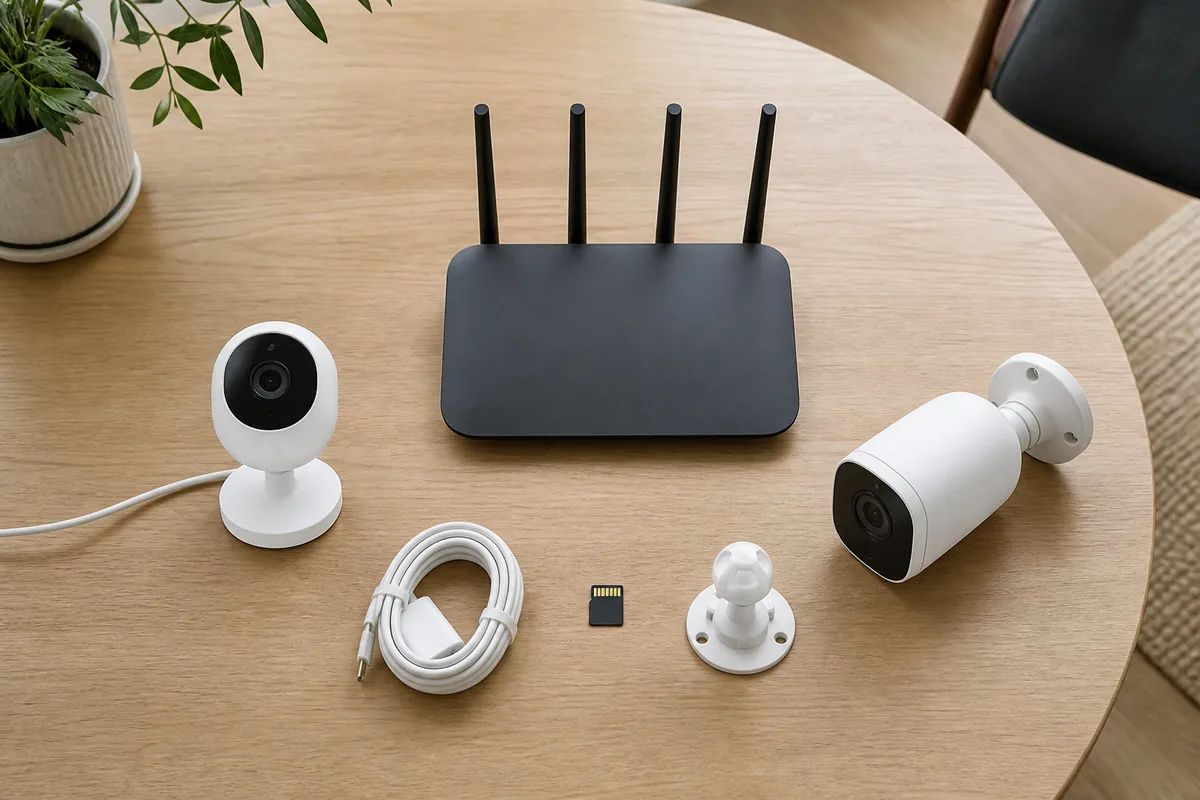
Figure 1. Compare the whole setup—power, network, and storage—not just the camera body. AI-generated conceptual image.
3. Separate live view, alerts, and recording
These are different functions. A camera may offer a free live view but charge for history; another may save events locally but limit smart alerts. List what works free, locally, and only with a plan.
Check what happens when storage fills, the internet fails, or a subscription ends. Local storage can reduce fees, but a stolen camera may take its card. Cloud storage preserves an off-site copy but adds cost and shares more data with a provider. A clear hybrid option can balance both.
4. Judge alerts by usefulness, not feature count
An affordable camera is poor value if it sends so many alerts that everyone disables them. Look for adjustable activity zones, schedules, sensitivity controls, and a way to distinguish important motion from routine movement. Treat labels such as “AI detection” as a feature to test, not proof of accuracy.
Use the return period to test the camera in rain, changing light, passing traffic, pets, and other real conditions. The useful question is not whether detection exists; it is whether the system gives your household enough relevant information to act.
5. Check night conditions honestly
Night performance depends on distance, light, reflections, movement, glass, and the camera’s illumination—not resolution alone. Infrared light can reflect from a window, while a bright porch lamp can create harsh contrast.
Test faces and clothing at the distance that matters to you. Do not assume a sharp daytime sample guarantees useful nighttime evidence.
6. Treat cybersecurity as part of the price
The US Federal Trade Commission advises researching encryption before buying, using a unique password, enabling two-factor authentication when available, updating camera software, and securing the home router. It also recommends considering a separate network for connected cameras and other smart devices (FTC, 2023).
NIST similarly recommends planning before purchase, enabling multi-factor authentication, avoiding password reuse, reviewing privacy settings, enabling automatic updates, and considering network segmentation (NIST, 2025).
Before checkout, find the manufacturer’s update policy, security contact, privacy controls, and account-security options. In the UK, the consumer connectable product security regime has applied since April 29, 2024; its baseline requirements include banning universal or easily guessed default passwords and publishing minimum security-update periods (GOV.UK, updated 2025). Buyers elsewhere can still use those disclosures as useful comparison questions, even where the same law does not apply.
7. Check account sharing and the exit path
A household camera often needs more than one viewer. Confirm whether each person can have a separate account, whether permissions differ, and whether access can be revoked without changing everything. Shared passwords make it harder to know who has access.
Before replacement or resale, you should be able to export needed footage, delete cloud recordings, remove the device from the account, and factory-reset it.
8. Verify support, returns, and replacement parts
Read the warranty and return policy before permanent mounting. Confirm that batteries, mounts, cables, or hubs are replaceable in your region. Clear support can justify a slightly higher price.
Match the Setup to Your Household
Use the smallest setup that covers the stated job.
| Household situation | Practical low-cost starting point | Why it can work | Upgrade only when… |
|---|---|---|---|
| Renter watching one entrance | One removable camera with clear free features | Low installation commitment and easy relocation | You need protected off-site recordings or a second angle |
| Homeowner with reliable exterior power | One wired entry camera | Fewer charging tasks and consistent availability | Testing proves another blind area matters |
| Pet owner checking one room | One plug-in indoor camera with a physical privacy routine | Stable power and a tightly defined use | You need coverage in a genuinely separate area |
| Privacy-focused household | Local-storage model from a supported vendor | Reduces dependence on recurring cloud storage | Off-site backup becomes a stated requirement |
| Busy entrance with frequent motion | Wired power plus tunable activity zones | Avoids frequent charging and notification overload | Testing shows the field of view is still insufficient |
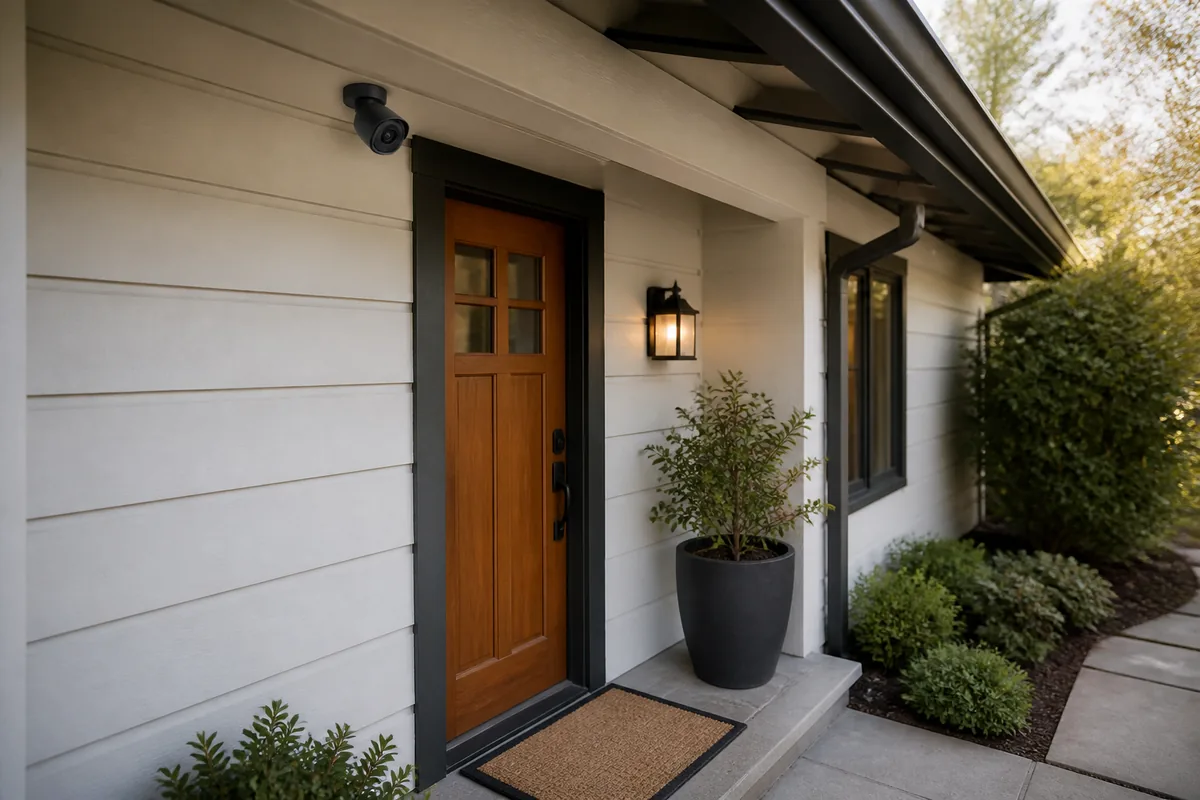
Figure 2. A narrow, purposeful viewing area can reduce unnecessary recording. AI-generated conceptual image; local placement rules vary.
What Is Usually Not Worth Paying For
More resolution is not automatically useful when compression, poor light, weak Wi-Fi, or a bad angle limits the result. A long list of detection categories adds little if basic alerts are inconsistent.
Be cautious with accessories that lock later cameras into one ecosystem. Voice-assistant integration should not outrank reliable recording, secure access, and manageable costs. Explore more setup and privacy topics in the Smart Home Technology guides.
The UK National Cyber Security Centre recommends changing default passwords, applying updates, and disabling remote viewing if it is not needed. It also warns that router features such as port forwarding and UPnP can create exposure and should be evaluated against the functions you actually use (NCSC). For most buyers, a vendor-supported app with secure defaults is safer than following random instructions to expose a camera directly to the internet.
A Five-Minute Buying Checklist
Before paying, confirm all of the following:
- The camera has one defined monitoring job and a tested mounting position.
- Power and Wi-Fi are reliable at that position.
- Essential live view, alerts, and recording features are identified separately.
- Any subscription cost is included for the full ownership period.
- Night performance and activity zones can be tested during the return window.
- Unique passwords and multi-factor authentication are supported where applicable.
- The manufacturer publishes update, privacy, deletion, and vulnerability-reporting information.
- Household access can be granted and revoked without sharing one password.
- The viewing angle respects household consent, neighbors, and local rules.
- The warranty, return policy, and replacement accessories work in your region.
If two cameras still look equal, choose the one with clearer policies and fewer dependencies. Predictable operation is usually more valuable than one extra headline feature.
FAQ
Are cheap home security cameras safe?
Price alone does not determine safety. Look for unique credentials, multi-factor authentication, encrypted connections, automatic updates, and clear privacy controls. Avoid unknown support, permanent default passwords, or instructions that expose the camera directly to the internet.
Can I use a security camera without a subscription?
Yes. Some cameras offer live view, memory card, hub, or network storage without a plan. Confirm limits on history, detection, sharing, backups, and notifications. “No subscription required” does not mean every advertised feature is included.
Is a wired or battery camera more affordable?
Battery cameras may cost less to install, while wired or plug-in cameras may cost less to maintain in busy areas. Compare installation work with charging frequency; the location determines the cheaper choice.
How many cameras does a home need?
There is no universal number. Start with the highest-priority entrance or area, test the real field of view, and add another camera only if a meaningful blind spot remains. Fewer well-placed cameras are easier to maintain and create less unnecessary footage.
Should an indoor camera record all the time?
Usually only if continuous recording serves a clear need and everyone affected understands it. Consider schedules, privacy shutters, power-off routines, or narrower placement. Avoid bedrooms and other highly private spaces unless there is a compelling, lawful reason and informed household agreement.
Conclusion
Affordable security cameras deliver value when they solve one clear monitoring problem without creating surprise fees, constant maintenance, or unnecessary privacy exposure. Compare total ownership cost, power, network reliability, recording, useful alerts, security support, and placement before comparing marketing extras.
Start with one camera, test it under real daytime and nighttime conditions, and keep it only if the household can operate it securely. Spending less is sensible; buying twice is not.
Sources
- Federal Trade Commission. “How To Secure Your Home Security Cameras.” February 2023.
- National Institute of Standards and Technology. “7 Tips to Keep Your Smart Home Safer and More Private.” April 2, 2025.
- UK Government. “Regulations: consumer connectable product security.” Published January 8, 2024; updated March 17, 2025.
- UK National Cyber Security Centre. “‘Smart’ security cameras: Using them safely in your home.” March 3, 2020.